 PluBIM Help

Ports
AutoRuns adds a short run to every open port of an MEP component.
- Ribbon group
- ModelKit
- Version
- PluBIM 1.5.0
The Ports group on the PB-Modeling tab contains the AutoRuns command. It adds a short run to every open port of the selected components, matching the port's kind, size and system.
Which elements?
| Works with | MEP components with ports: fittings and accessories of pipes, ducts, cable trays and conduits, air terminals, mechanical and electrical equipment, plumbing fixtures, sprinklers, lighting fixtures and electrical fixtures |
| Not for | Runs themselves (pipes, ducts, cable trays, conduits and flex runs); ports that are already connected |
| Creates | one pipe, duct (rectangular, round or oval), conduit or cable tray per open port |
Extend open ports
Select the components to extend. You can select several.
Click PB-Modeling › Ports › AutoRuns. If nothing is selected, the status bar shows “Select an MEP component to extend”: click the component.
If open ports on fittings have no system, the system selection opens. Choose the piping or duct system for the new runs. It is asked once per run.
Every open port has a short run. It is connected to the port and has its size. The run can be undone in Revit with Undo in one step.
What the new runs take over
| Property | Where it comes from |
|---|---|
| Size | from the port |
| System | from the port. Without a system: from the system selection or the settings |
| Type | from the runs already attached to the component. Otherwise from the settings, otherwise the first matching type in the model |
| Length | Run length in the settings, per pipe, duct, conduit and cable tray |
| Workset | from a run on the component. Otherwise from the settings, otherwise the active workset |
| Service type (conduits and cable trays only) | from the fitting |
Settings for AutoRuns
Under PB-Modeling › General › Settings, Ports page, with three tabs.
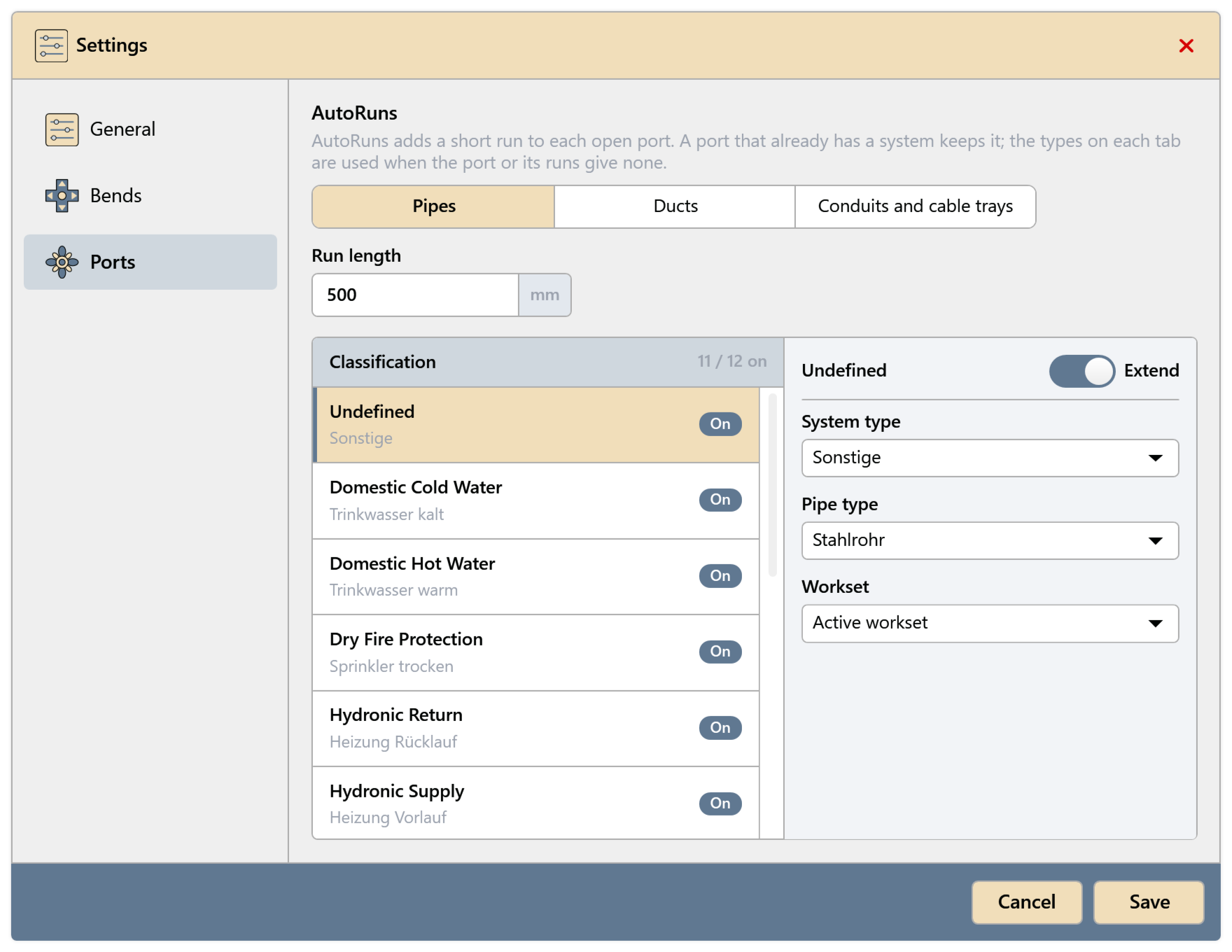
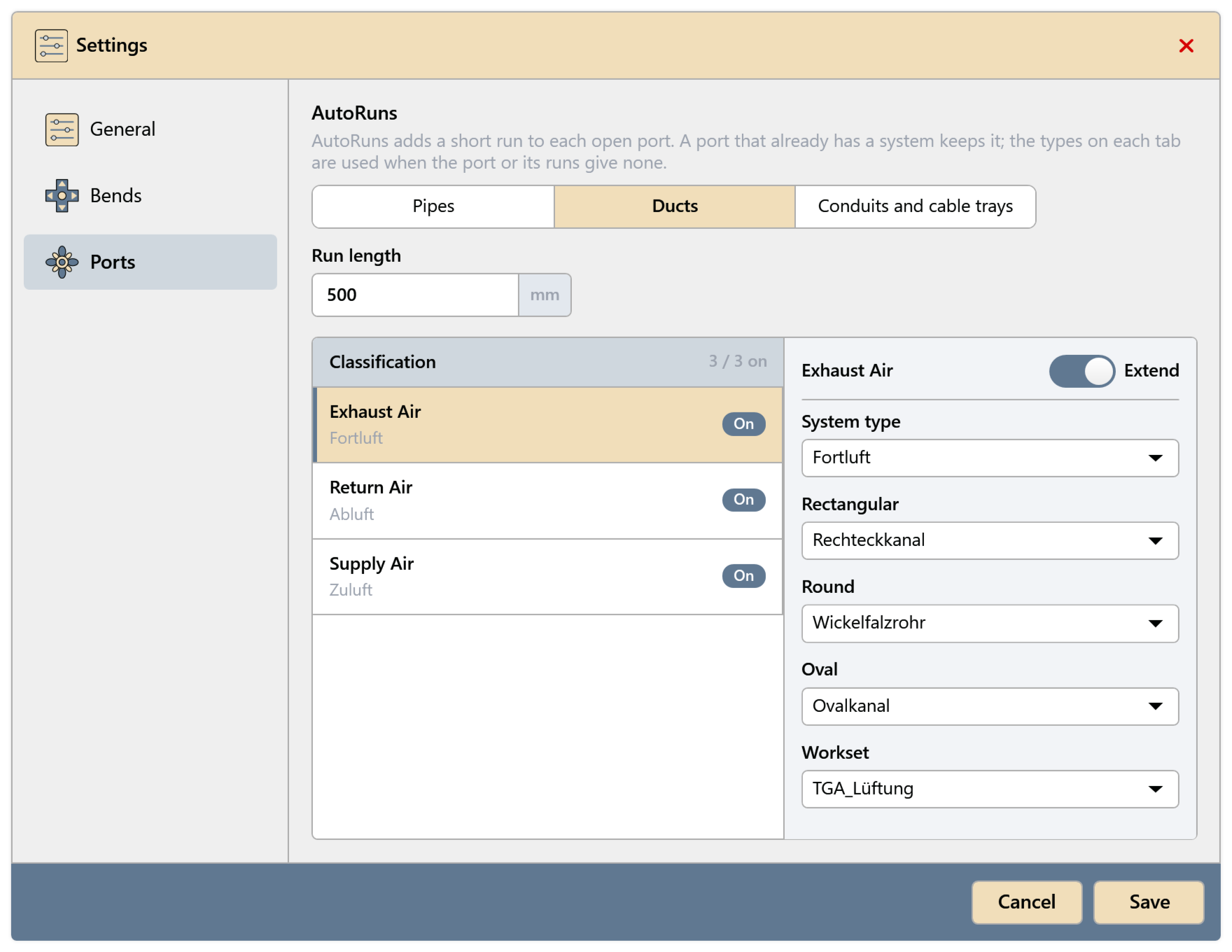
Pipes and Ducts: at the top the Run length. On the left the Classification list; “On” means AutoRuns extends ports of this classification. On the right the settings of the selected classification: Extend, System type, Pipe type or Rectangular, Round and Oval, and Workset.
Conduits and cable trays: on the left Categories, on the right Run length, Type and Workset for the selected category.
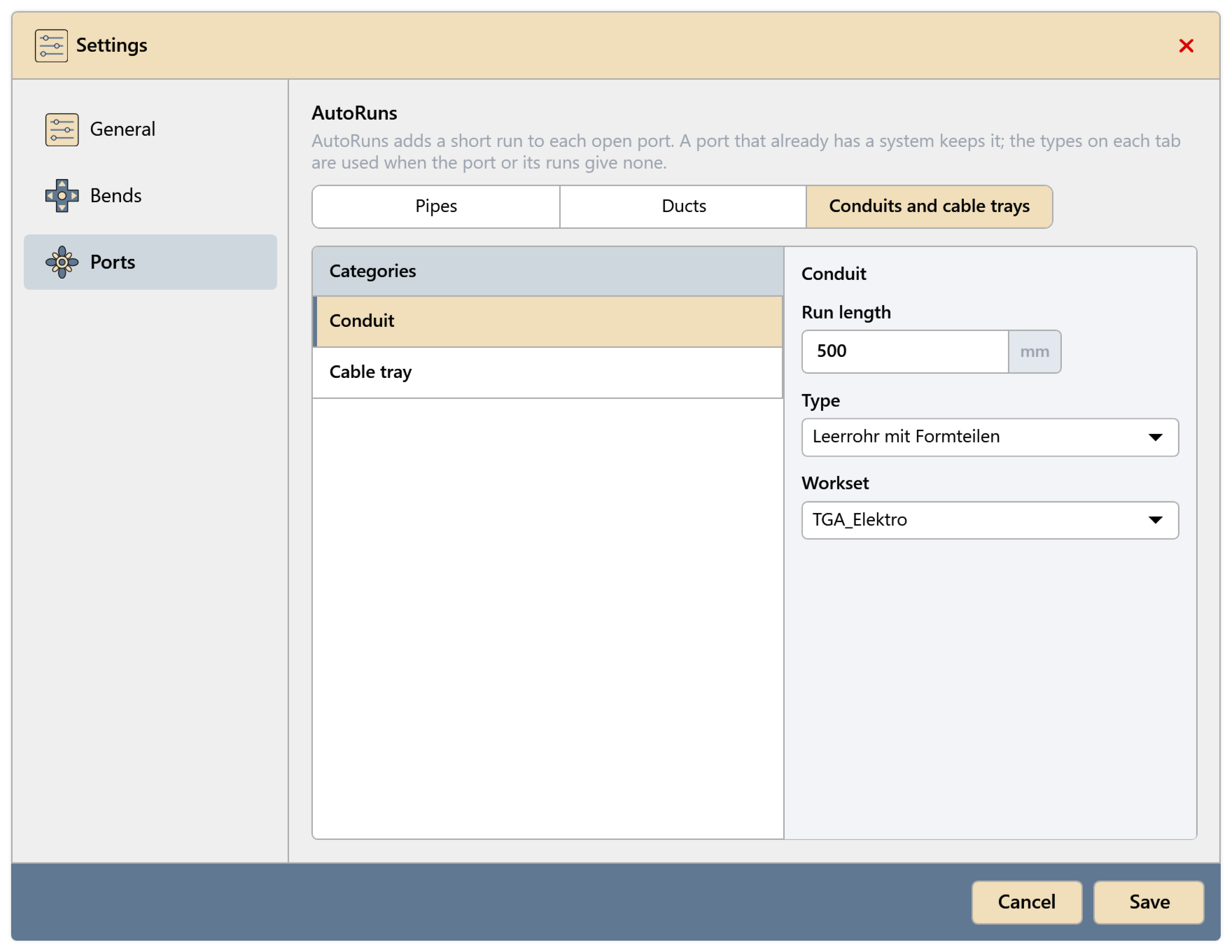
The types apply when neither the port nor the runs on the component specify one. Apply changes with Save.
Common problems
“There is no open port to extend. Check the enabled systems in Route Preferences.”
All ports of the component are already connected, or their classification has Extend turned off in the settings.
“The model has no matching pipe, duct, conduit, cable tray or system type for this port.”
A type for this kind of port is missing in the model, e.g. no oval duct type. Load or create the type and run AutoRuns again.
“ModelKit — Results” after the run
Something went wrong for some components; the others are done. The message gives the ID and reason for each component. See Result of a run.