 PluBIM Help

DetailShot
Opens Revit families and creates screenshots of the detail items they contain.
- Ribbon group
- Automation
- Version
- PluBIM 1.5.0
DetailShot goes through all families of a category in the project. For each family type, it creates an image of the detail item in the family, saves it as a PNG and stores it in the family in the image parameter MP_400_Bild_2D. The family is then loaded back into the project.
When to use it
- Preview images of the 2D representation are needed for a family library.
- The families of a category should be saved as individual files in one go.
Requirements
- The families contain a detail item in plan view.
- A shared parameter file with the parameter MP_400_Bild_2D in the group MP_400_Allgemein is available. The families don't need the parameter: if it is missing, DetailShot adds it to the family from this file.
Create images of the detail items
In the ribbon, click PluBIM › Automation › DetailShot.
Under Category, choose the category whose families are processed.
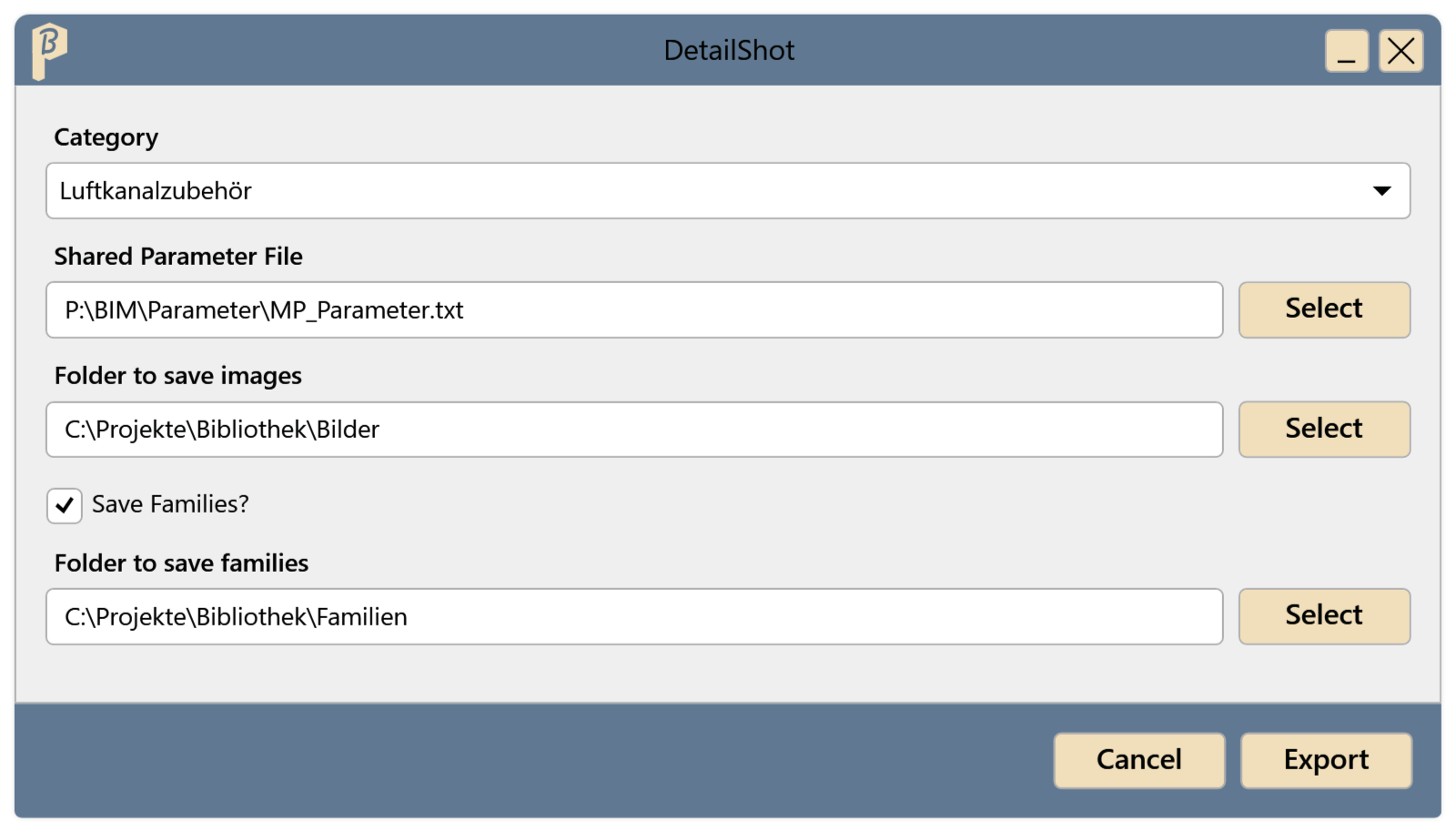
Fig. 1 · The DetailShot window Under Shared Parameter File, choose the parameter file with Select.
Under Folder to save images, choose the folder for the images.
To also save the families as files, check Save Families? and choose a Folder to save families.
Click Export. DetailShot opens the families one after another; Revit is busy in the meantime.
The Folder to save images contains a PNG for each family type, named after the type. In the families in the project, MP_400_Bild_2D shows the image of their type. With Save Families?, the families are also saved as .rfa in the Folder to save families.
DetailShot remembers the chosen folders, the parameter file and Save Families? for the next start.
Limitations
- Old images in the family are removed before the new image is added.
- Cancel or closing the window ends the run after the current family.
Common problems
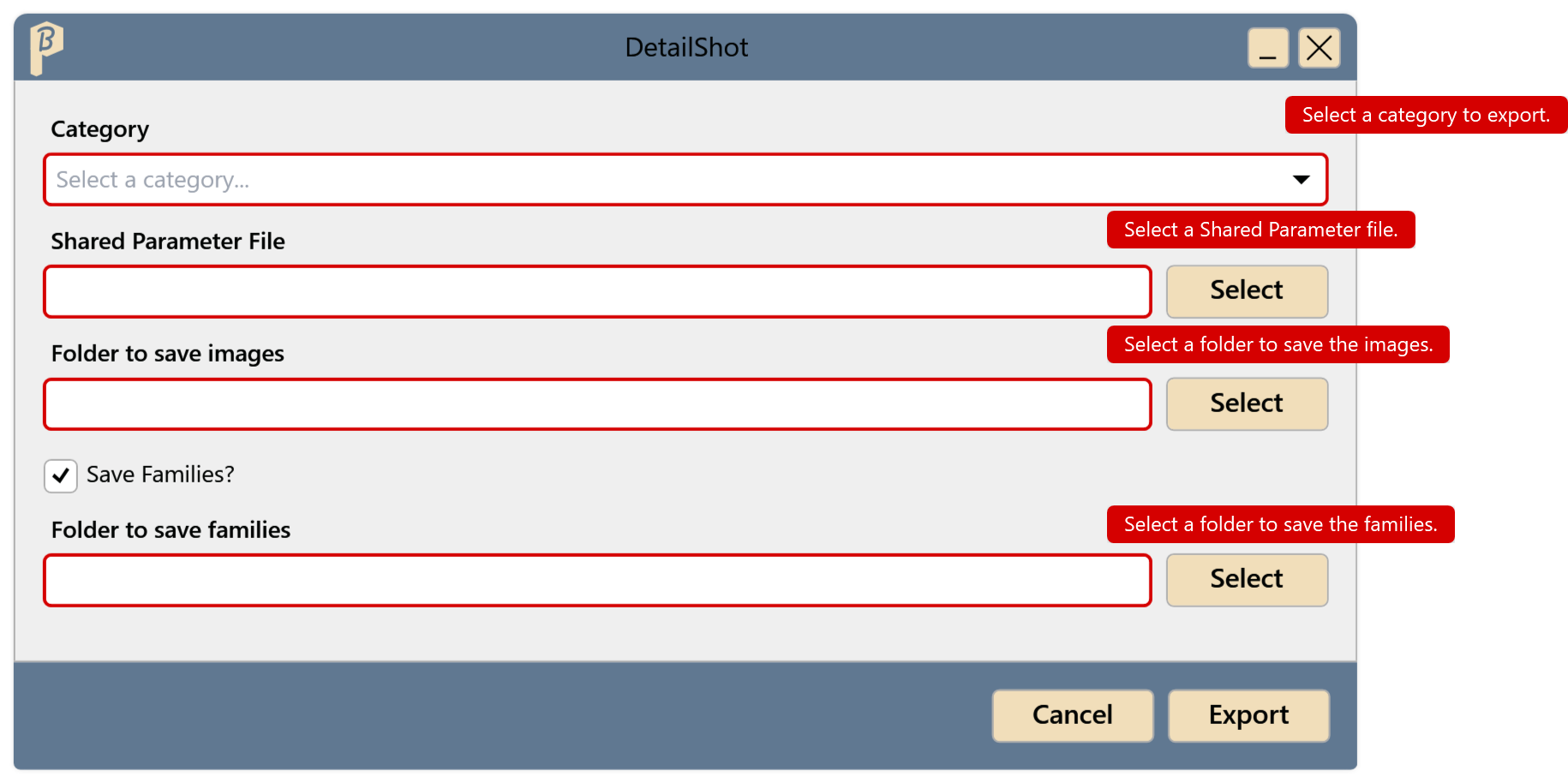
“Select a category to export.” and other messages under the fields
Export was clicked before all fields were filled in. Each field marked red says what is missing: category, parameter file, image folder and, with Save Families?, the family folder.
Nothing happens after Export
DetailShot does not show errors in the window. Common causes: the chosen category has no families in the project, or the parameter file does not contain MP_400_Bild_2D in the group MP_400_Allgemein. Check both; if that does not help, contact support (the cause is in the PluBIM log).
A family has no image
The family has no detail item in plan view. Add a detail item to the family and run DetailShot again.