 PluBIM Help
TabSort
Sort the open view tabs by type and name.
- Ribbon group
- Environment
- Version
- PluBIM 1.5.0
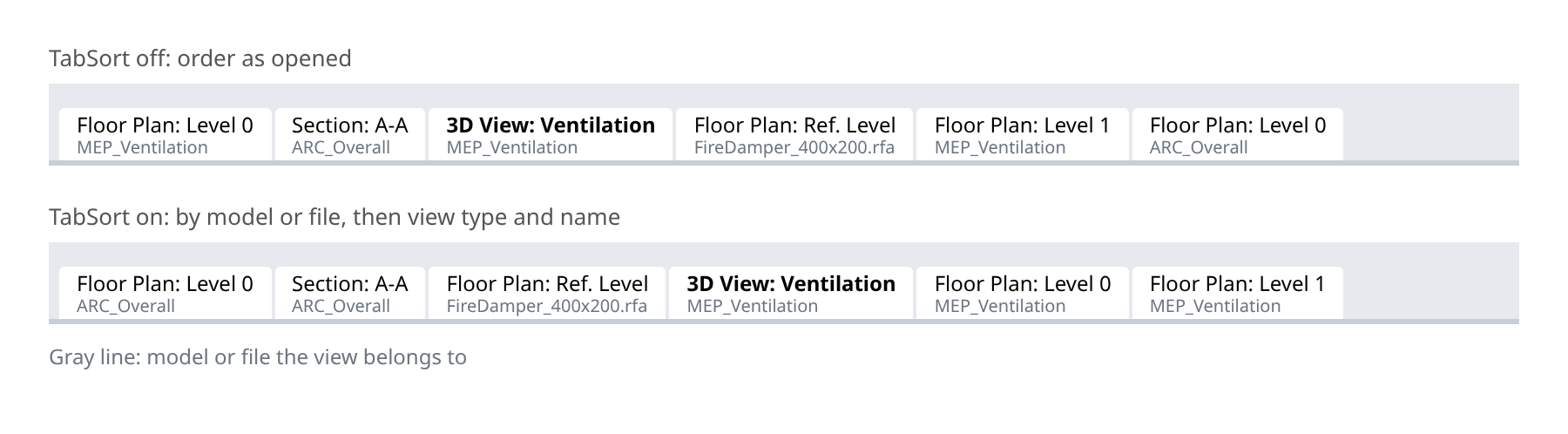
TabSort sorts the tabs of the open views alphabetically: first by model or file, then by view type and name. Views of the same model or file and of the same type sit next to each other.
When to use it
- Many views are open and should be lined up in order.
Turn TabSort on and off
In the ribbon, click PluBIM › Environment › TabSort.
The icon shows the new state:
 on: the tabs are sorted, including every view you open from now on.
 off: the tabs stay in the order in which they were opened.
The setting is kept after Revit restarts.
Together with TabColor, the views of each model and each file are colored and grouped together.