 PluBIM Help

Export Ifc
Automatically export listed 3D views as Ifc with your own settings.
- Ribbon group
- Automation
- Version
- PluBIM 1.5.0
When to use it
- An up-to-date Ifc state is needed regularly for coordination or handover.
Requirements
- An Ifc settings file in JSON format, e.g. IFC_Export_Settings_2x3.json.
Set up the action
In NightShift, in the Action step, choose Export Ifc.
At Global IFC Settings File, select the JSON file.
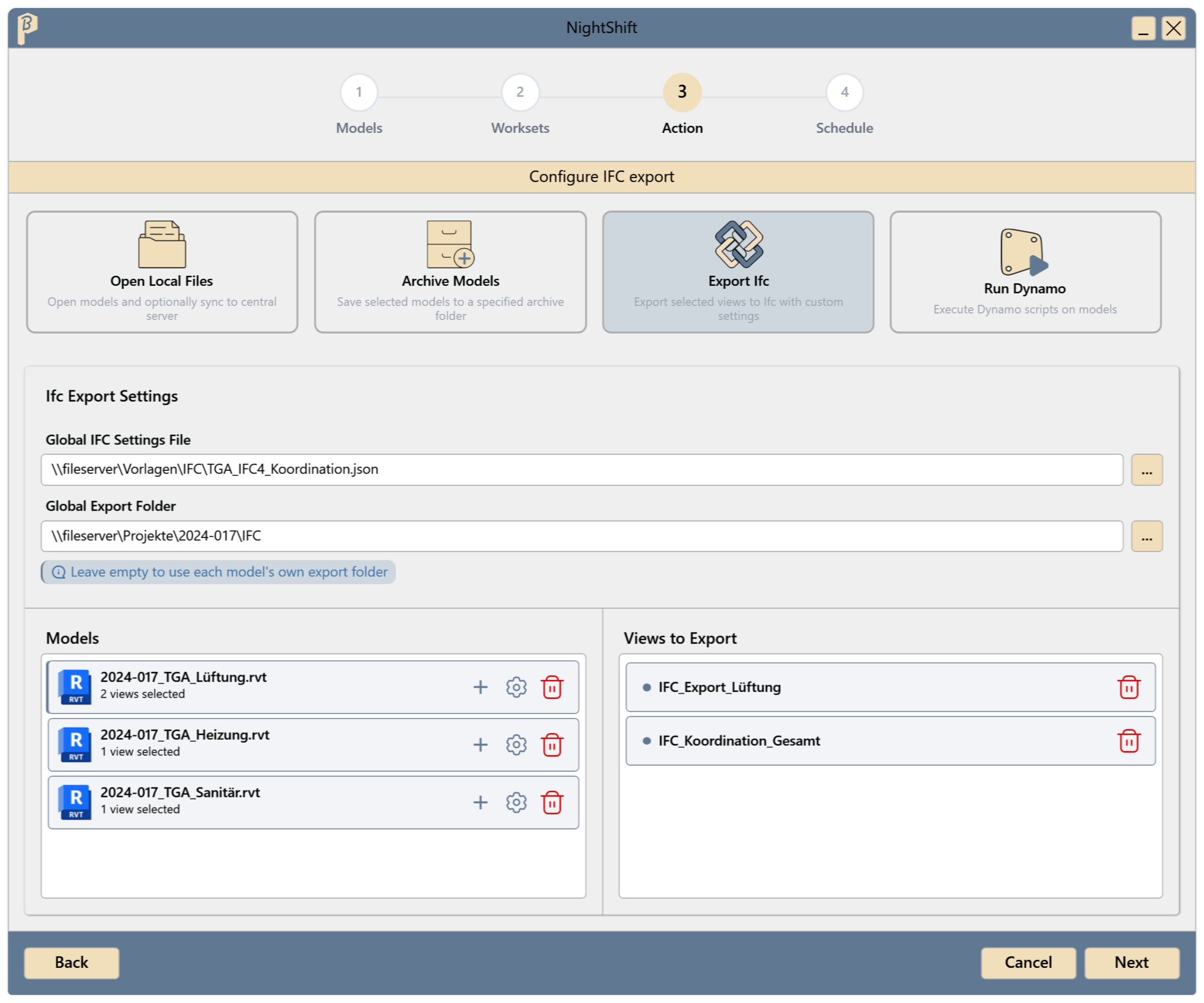
Fig. 1 · Ifc Export Settings Optionally choose a Global Export Folder. Leave it empty to use each model's folder.
Under Views to Export, click + for each model. In the Add Views to Export window, enter the names of the 3D views under Views, one per line (comma or semicolon also work), and click Apply. The names must match the views in the model exactly; upper and lower case don't matter. Each view is exported as its own Ifc file, named after the view.
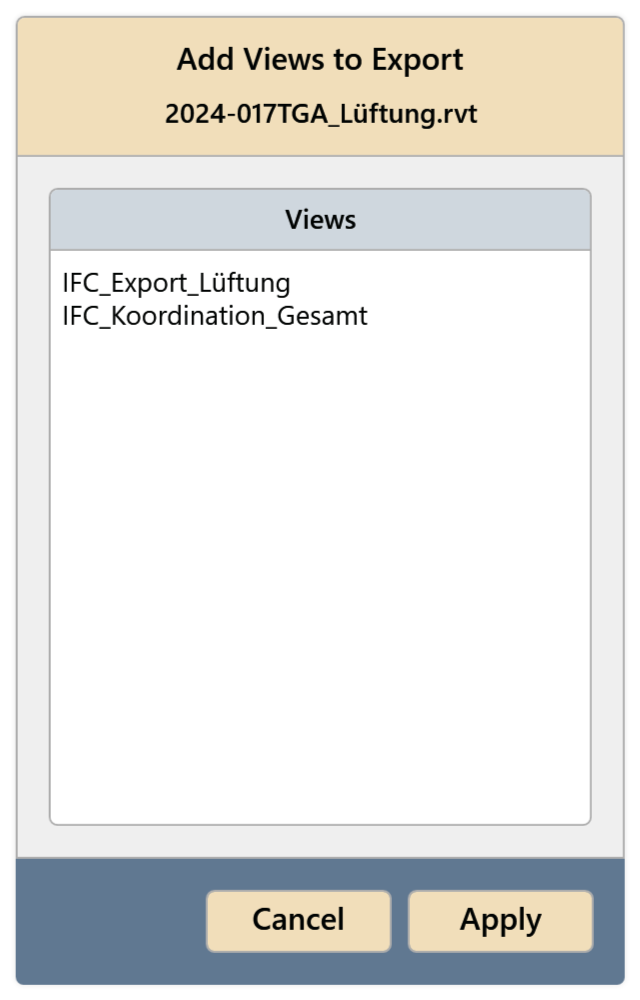
Fig. 2 · Enter the view names (window Add Views to Export) Do single models need different settings? Click the settings icon in the model's row. In the Ifc Export Settings window, turn on Override Export Settings, choose your own Export Settings File, optionally a folder under Export Folder Override, and click Apply.
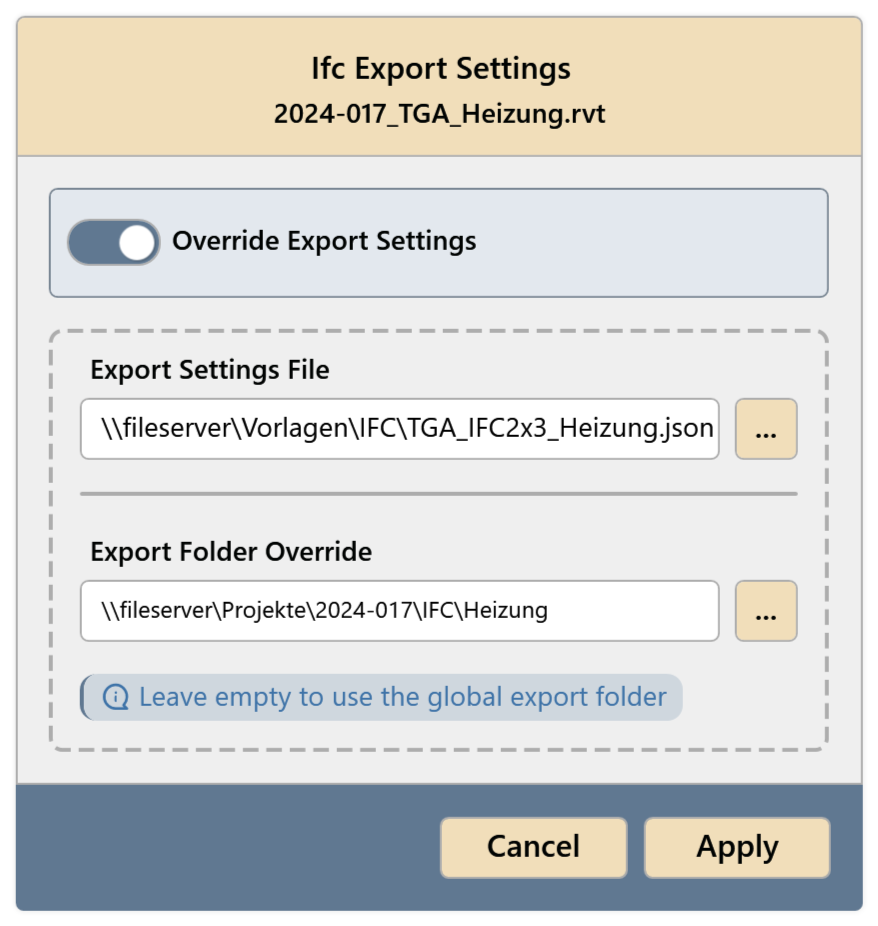
Fig. 3 · Ifc Export Settings for a single model Continue with the Schedule step and save the job (Create a job).
At the scheduled time, the Ifc files are in the export folder, one file per view (<view name>.ifc). A file from the last run is replaced. In the JobManager, the history shows the exported and failed views per model.
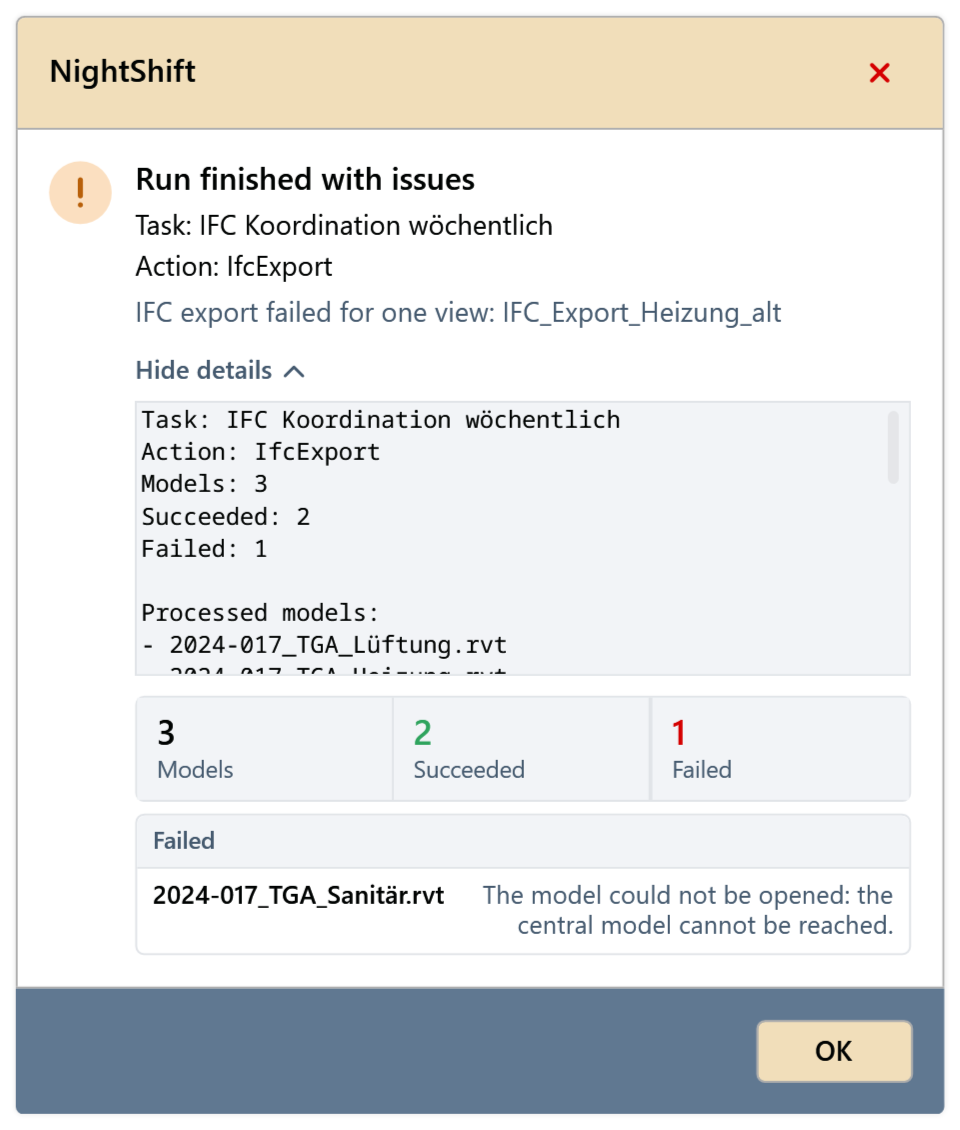
Result of the run
After each run, NightShift shows a summary. It says how many models were processed and which ones failed. Show details lists the exported views per model and the errors. If a view is missing in the model, the run ends as Run finished with issues, and the message names the view.
Common problems
“Select an Ifc settings file.”
Specify the global Ifc settings file.
The history lists a view as “Failed view”
During the run, NightShift looks for the views by name among the model's 3D views. A typo in the name, a renamed or deleted view, or a view that is not a 3D view is not found. Check the name in the model; to change the list, create a new job.
“Select at least one Ifc export view for every model to export.”
Add at least one view for each model.
“Ifc settings file is required when model overrides are enabled.”
With the override turned on, choose an Export Settings File or turn the override off.